
See the hidden waste on your line — in five minutes, offline.
A stopwatch gives you a number and misses the variation. Yamazo Studio turns your shop-floor video into a Yamazumi chart, station by station — showing exactly where the time goes (value-add, required work, waste) against takt. The video never leaves your machine. Annual or perpetual license.
From time study and Yamazumi to SMED, SOT, A3 and ergonomics — all on your own machine, fully offline.
TRUSTED BY LEAN LEADERS
The reality on most shop floors
Most plants run below their potential — and the engineers who could close the gap are in short supply.
Average plant OEE
Only ~6% of manufacturers sustain world-class 85%+ OEE — most operate well below their potential (Evocon, 3,500+ machines across 50+ countries, 2024).
Data stays local
Production videos and analysis never leave your computer — full compliance with strict IT 'No Cloud' policies.
Roles unfilled by 2030
Manufacturing's projected talent gap. Yamazo Studio multiplies the output of the industrial engineers you already have (Deloitte & The Manufacturing Institute, 2021).
Industry figures shown for context, not as Yamazo results. Measure your own gains in a pilot: if you could see the waste breakdown on one line within the shift, which decision would you make earlier?
The waste a stopwatch misses — what does it cost you by month's end?
- Requires a dedicated work-measurement specialist on site
- Time data lives in notebooks and spreadsheets with little context
- Hours spent copying notes into charts and balance tables
- Rework needed for every presentation-ready visual
- Impossible to review motion detail once the moment has passed
- Cannot track human–machine parallel operations accurately
- No way to analyse multiple stations as unified timeline
- Cloud-based alternatives need IT security review; air-gapped install is rare in this category
- Multi-track: Human & machine parallel work visualisation
- Multi-video: Analyse multiple recordings as one timeline
- Video-synced tagging keeps context with every cycle
- Automatic work instructions with Value-Added vs. Waste classification
- Ready-to-share reports in PDF, CSV, and interactive formats
- Granular motion playback to verify each improvement
- IT-friendly: air-gapped install, no exception ticket required
Lean Operating Desk
See it in motion
See Yamazo Studio in Action
Explore the intuitive interface designed for lean manufacturing professionals. From video analysis to actionable insights.
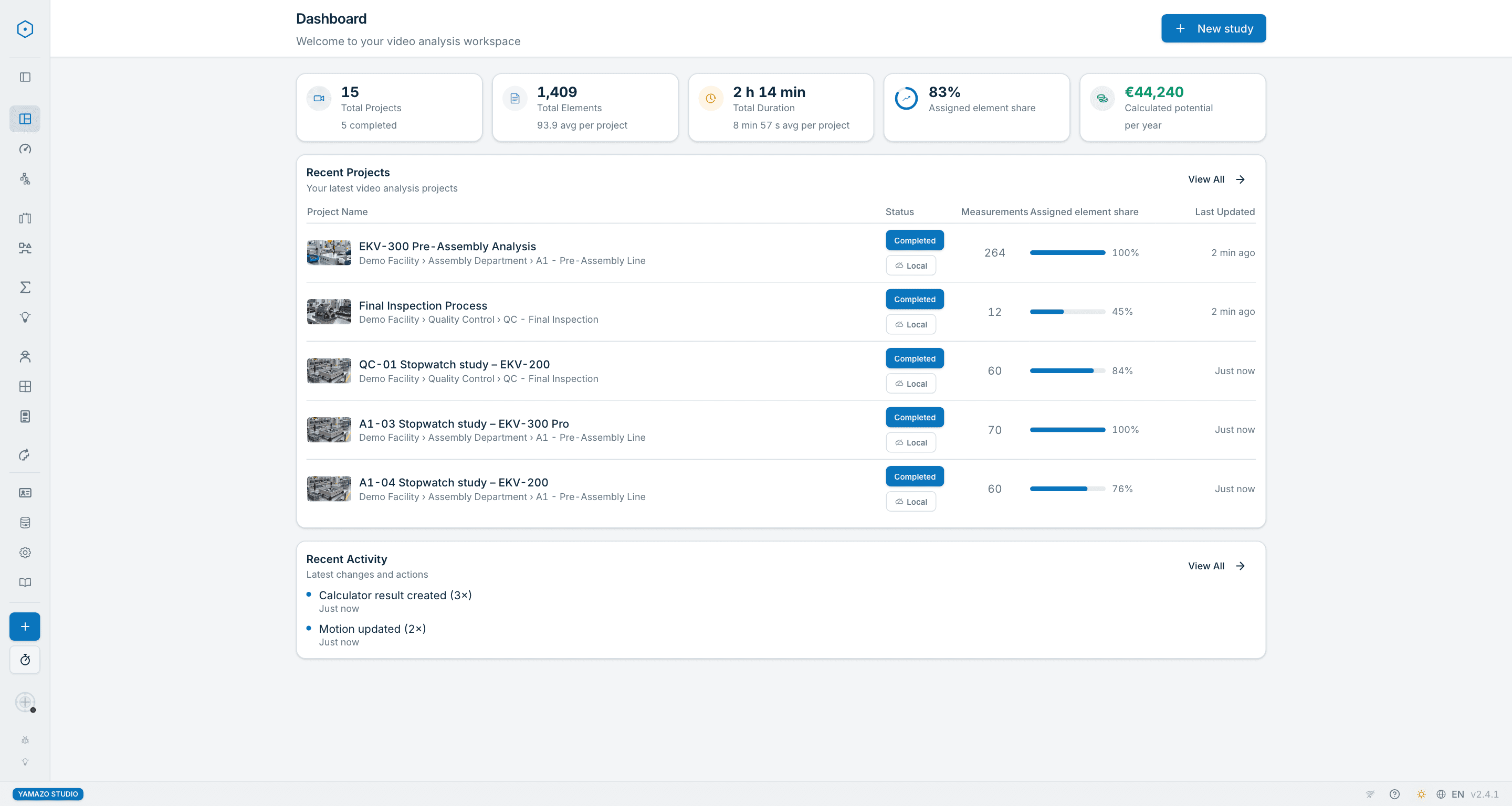
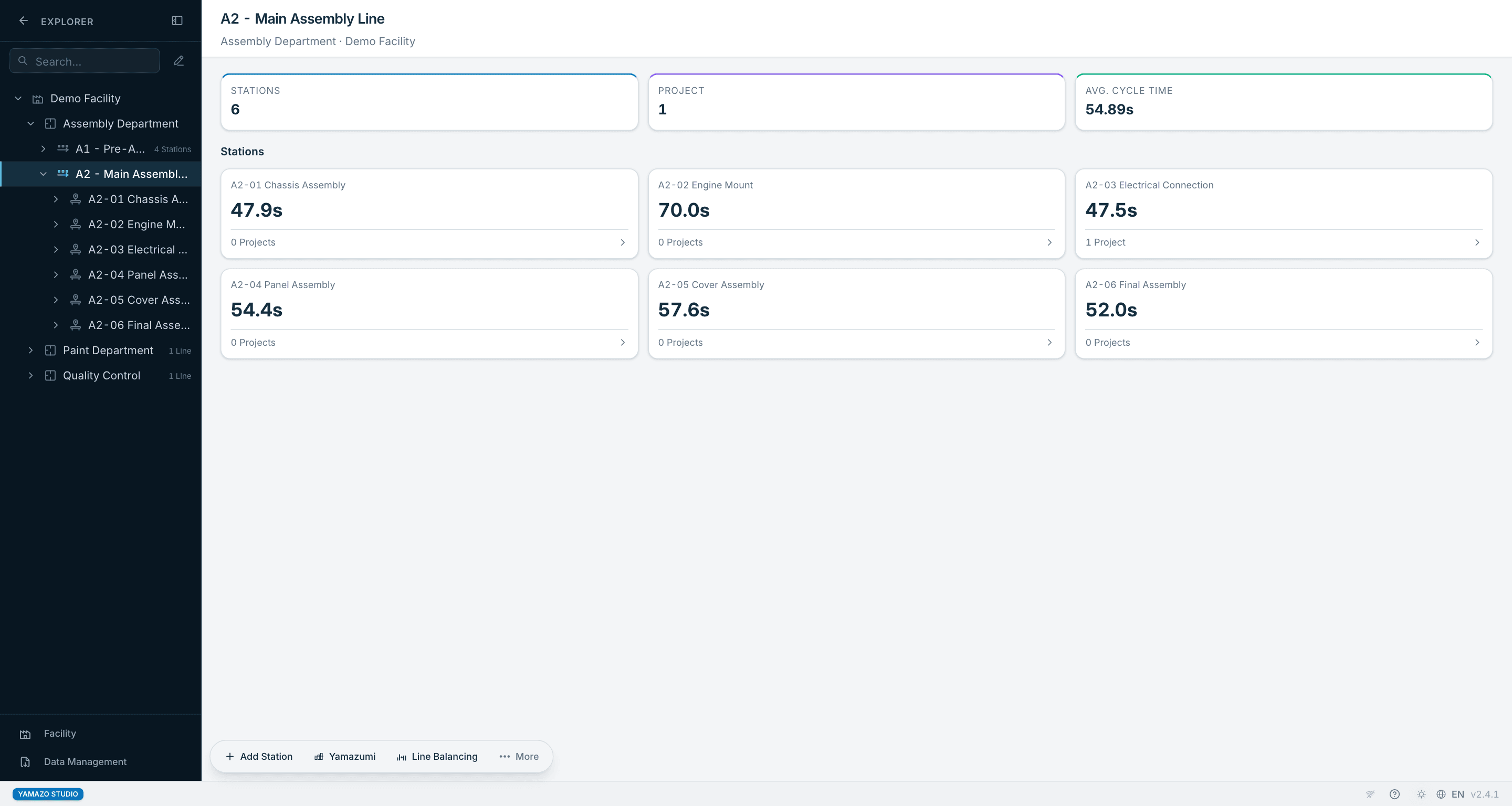
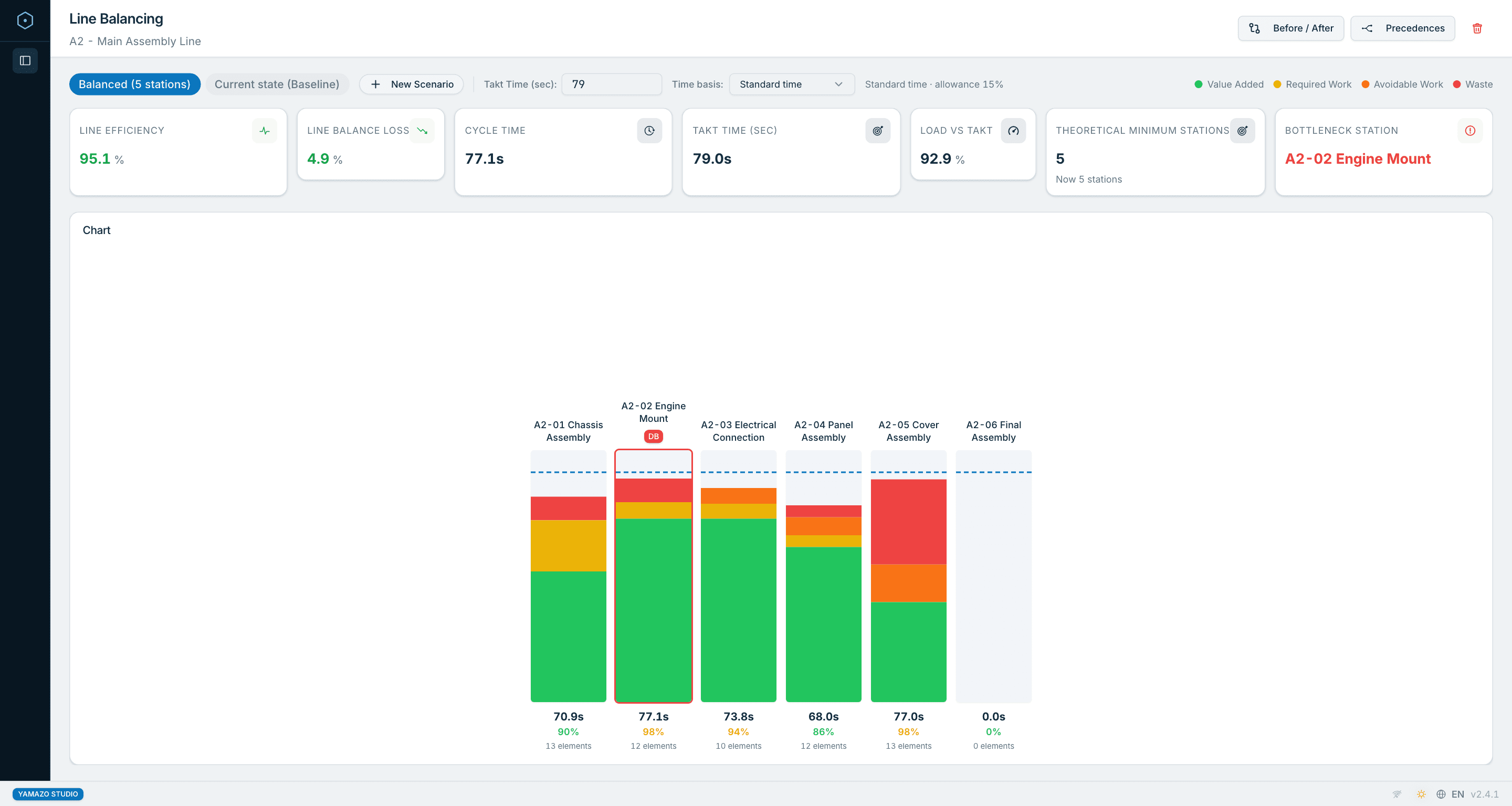
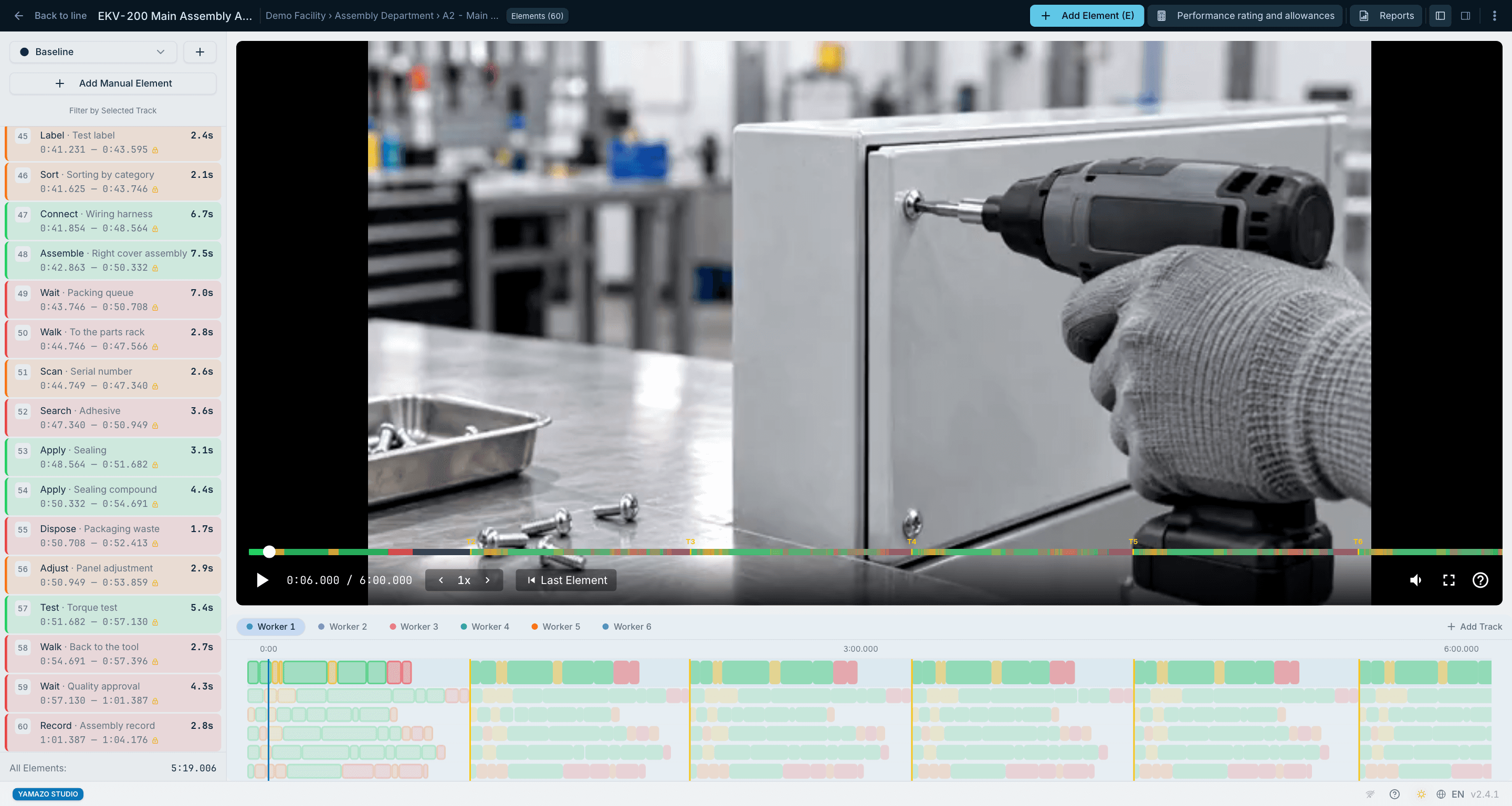
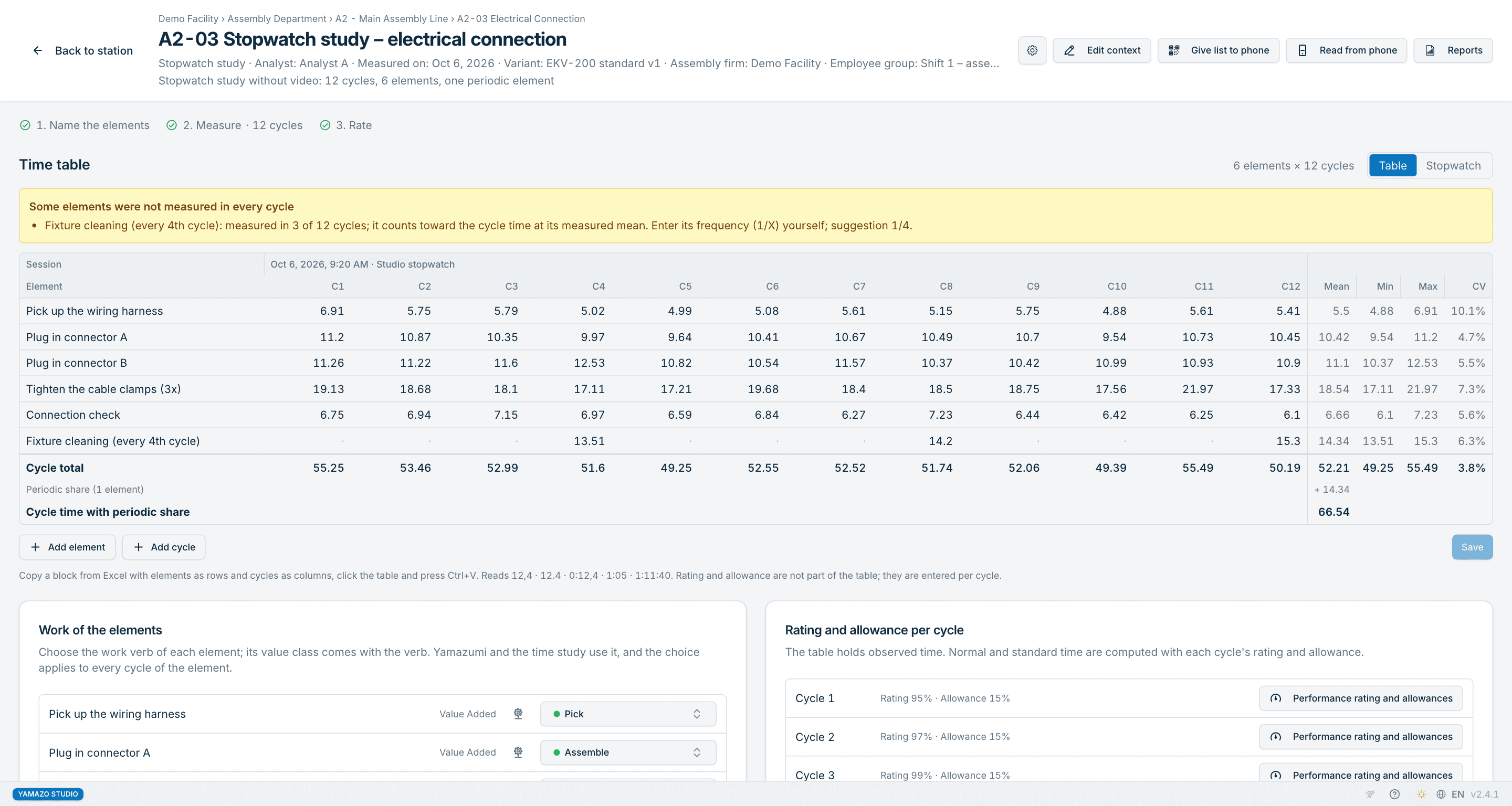
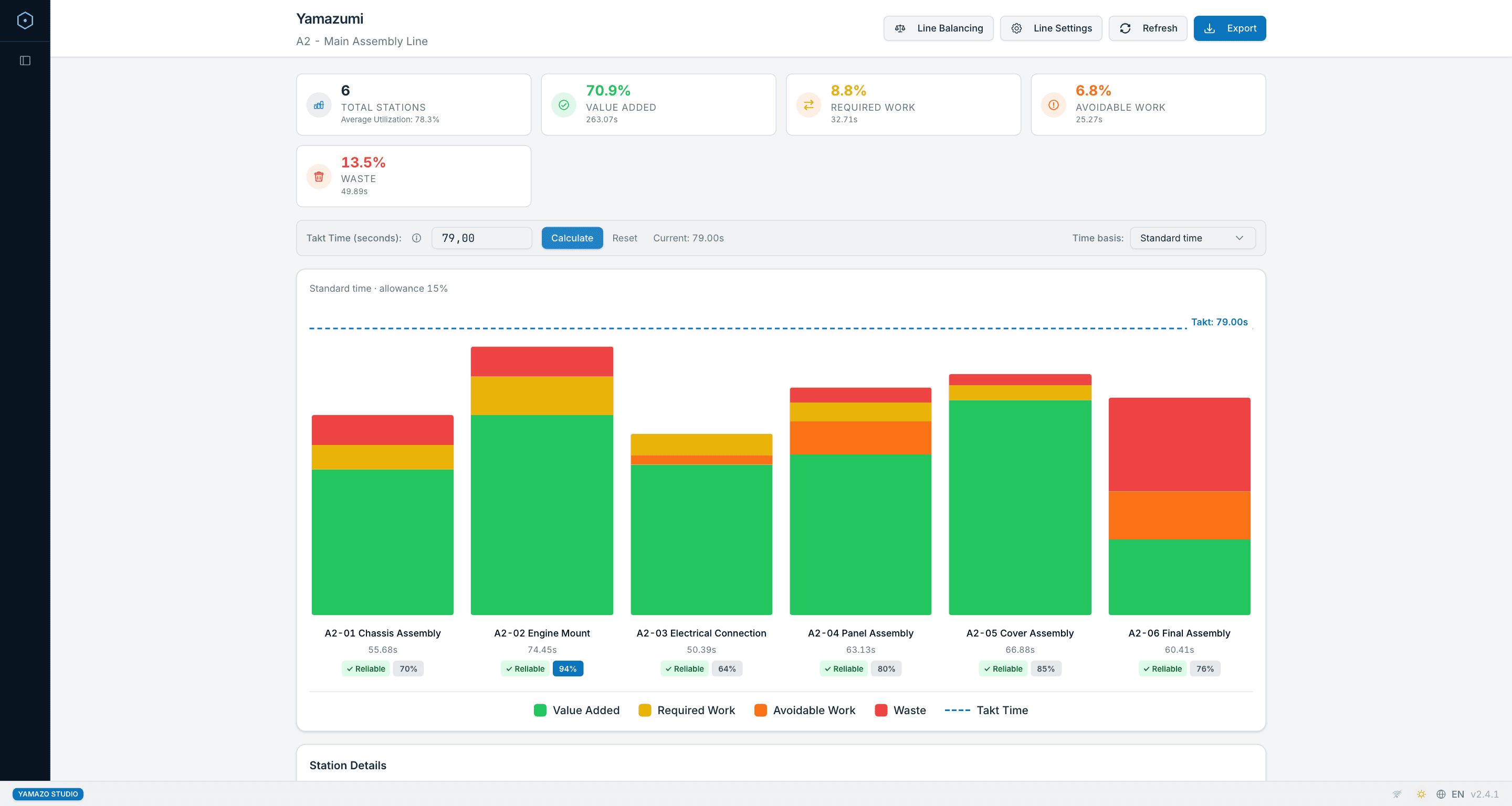
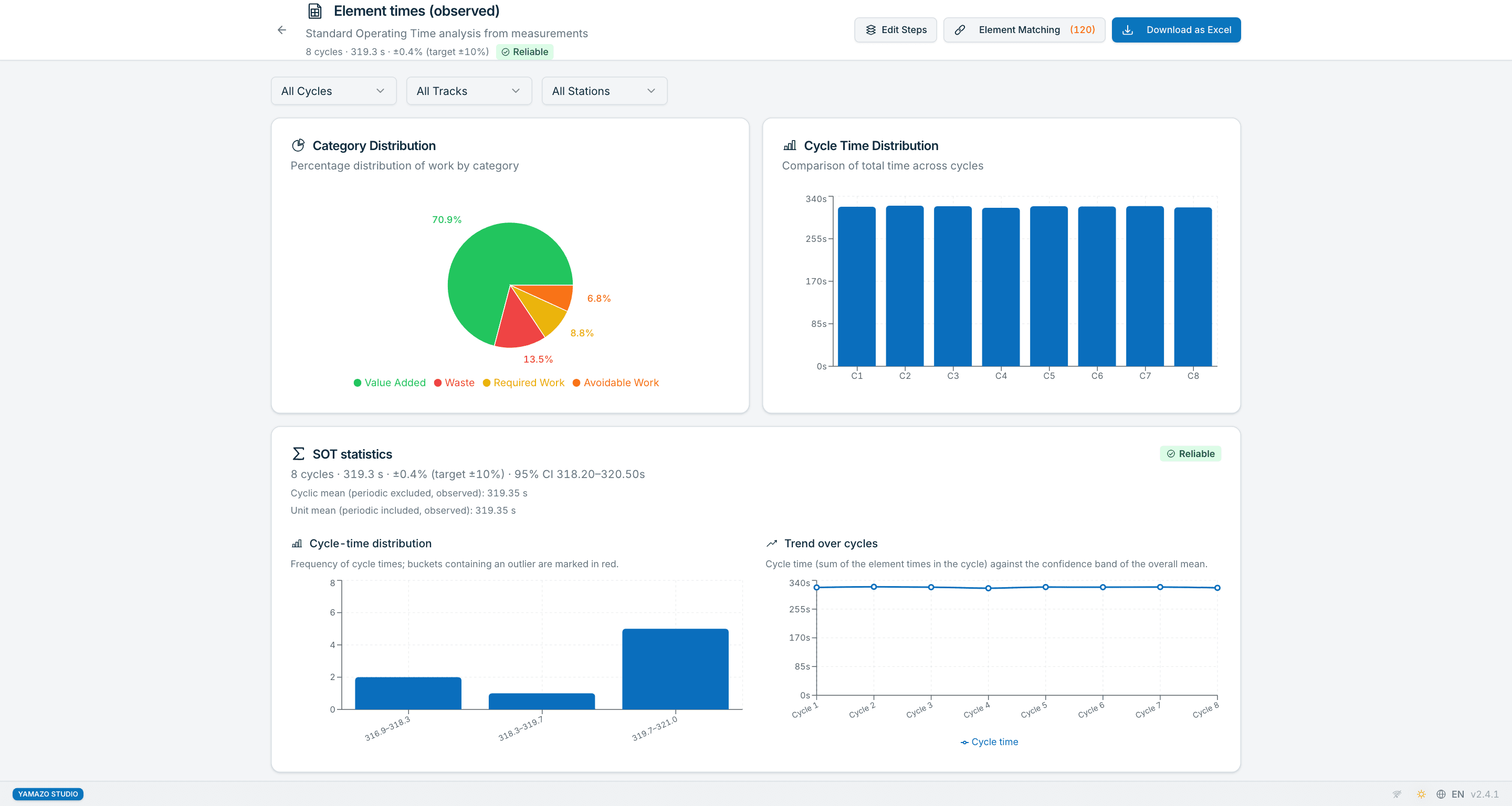
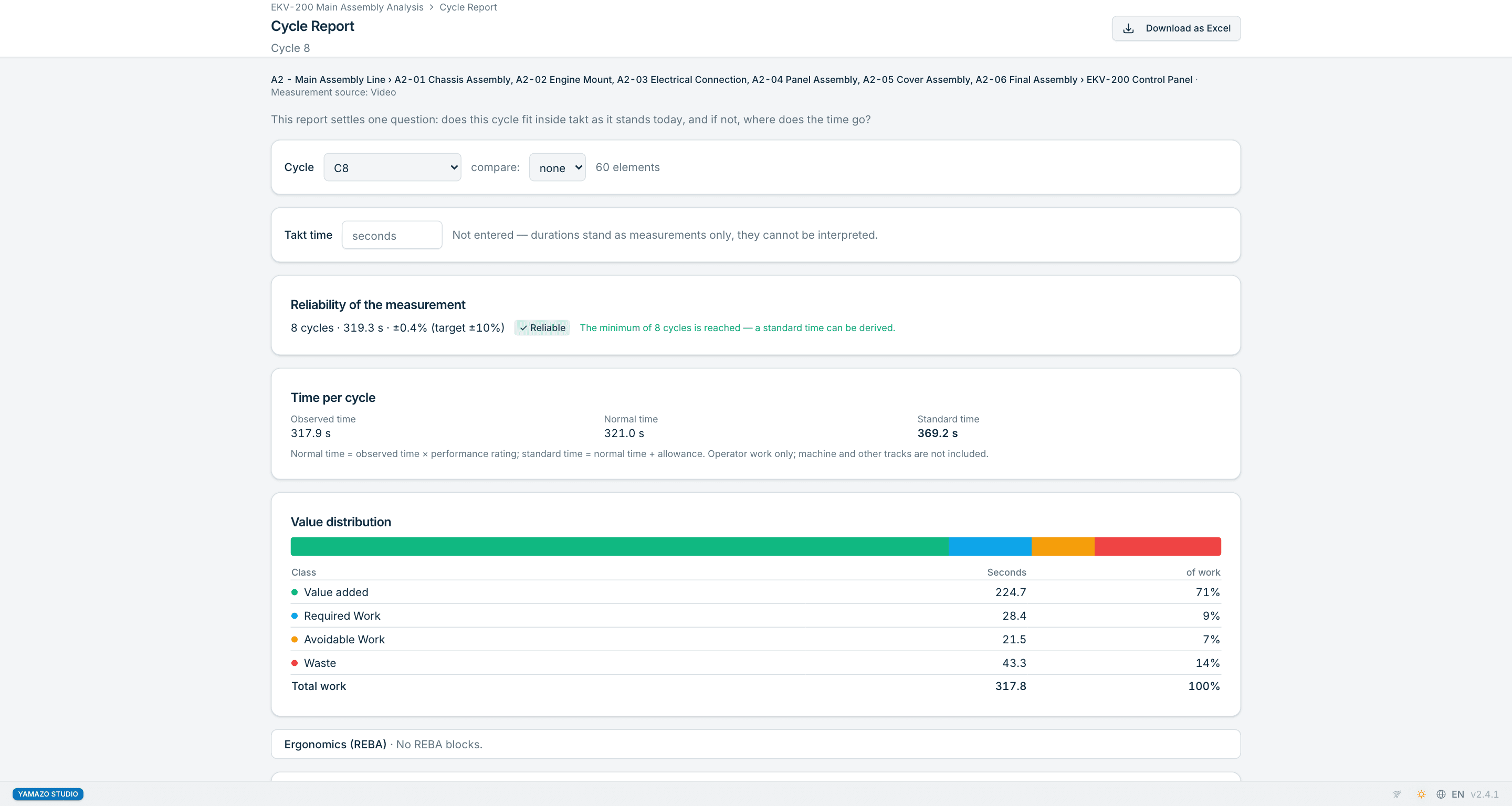
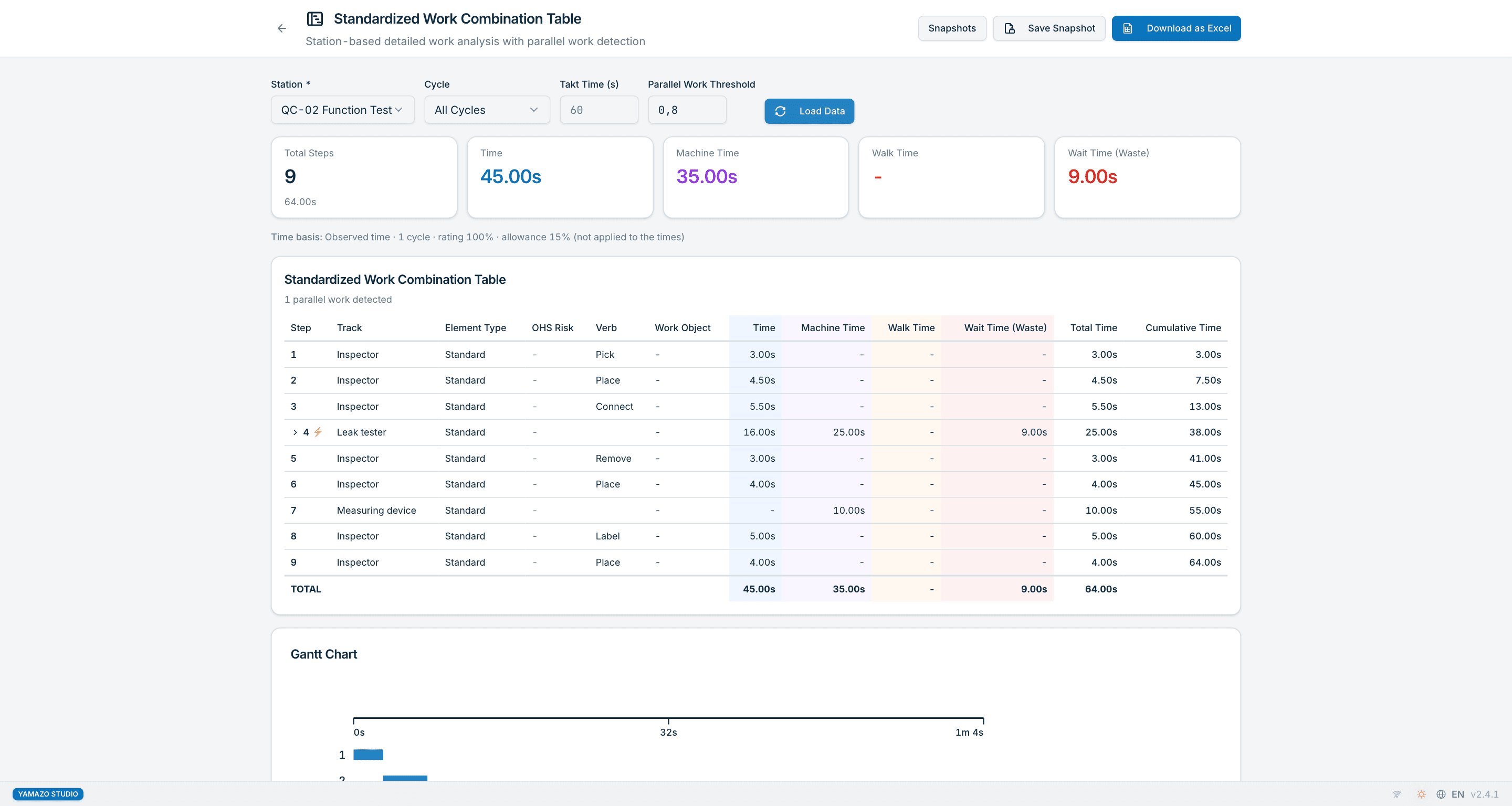
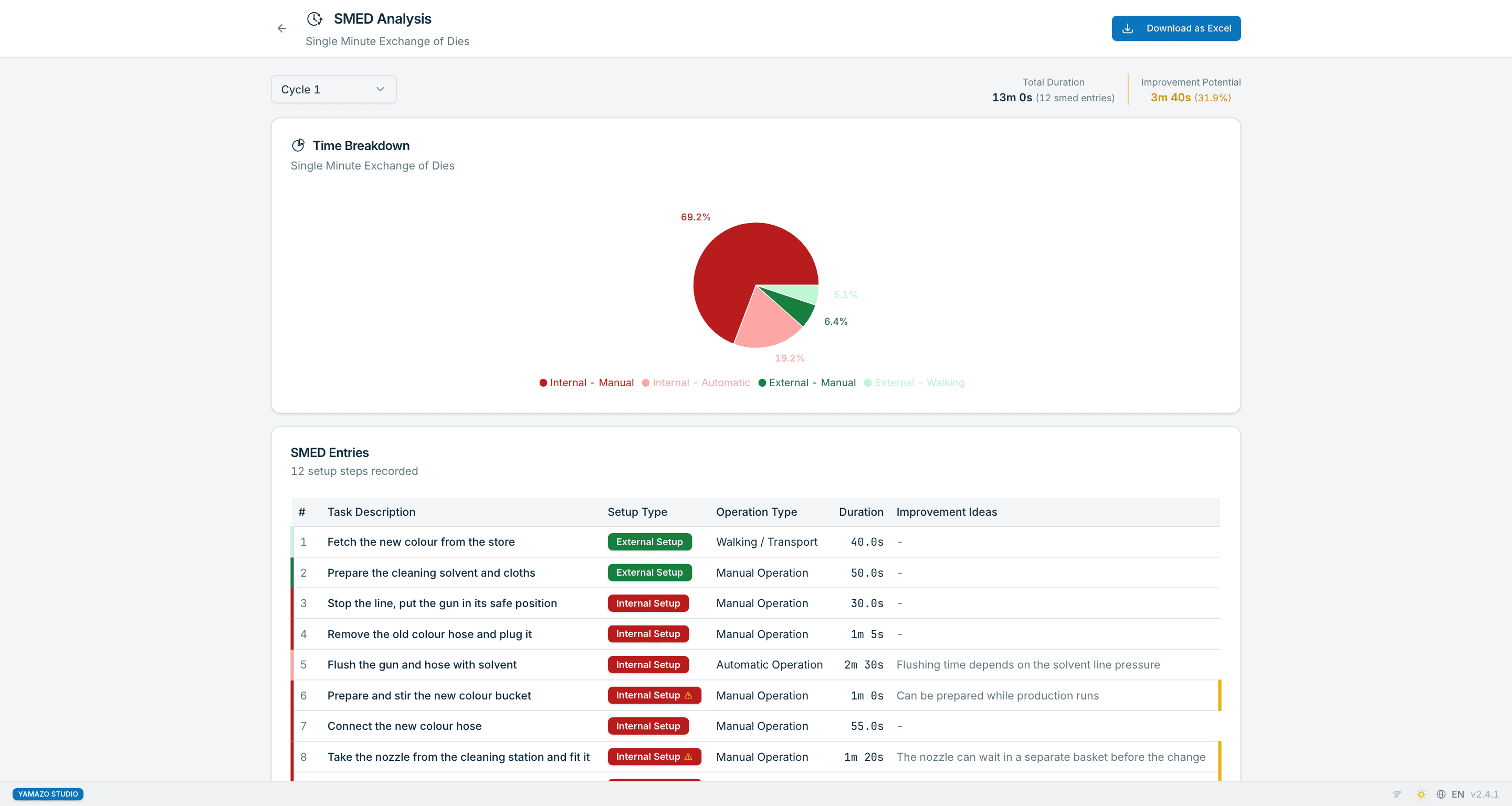
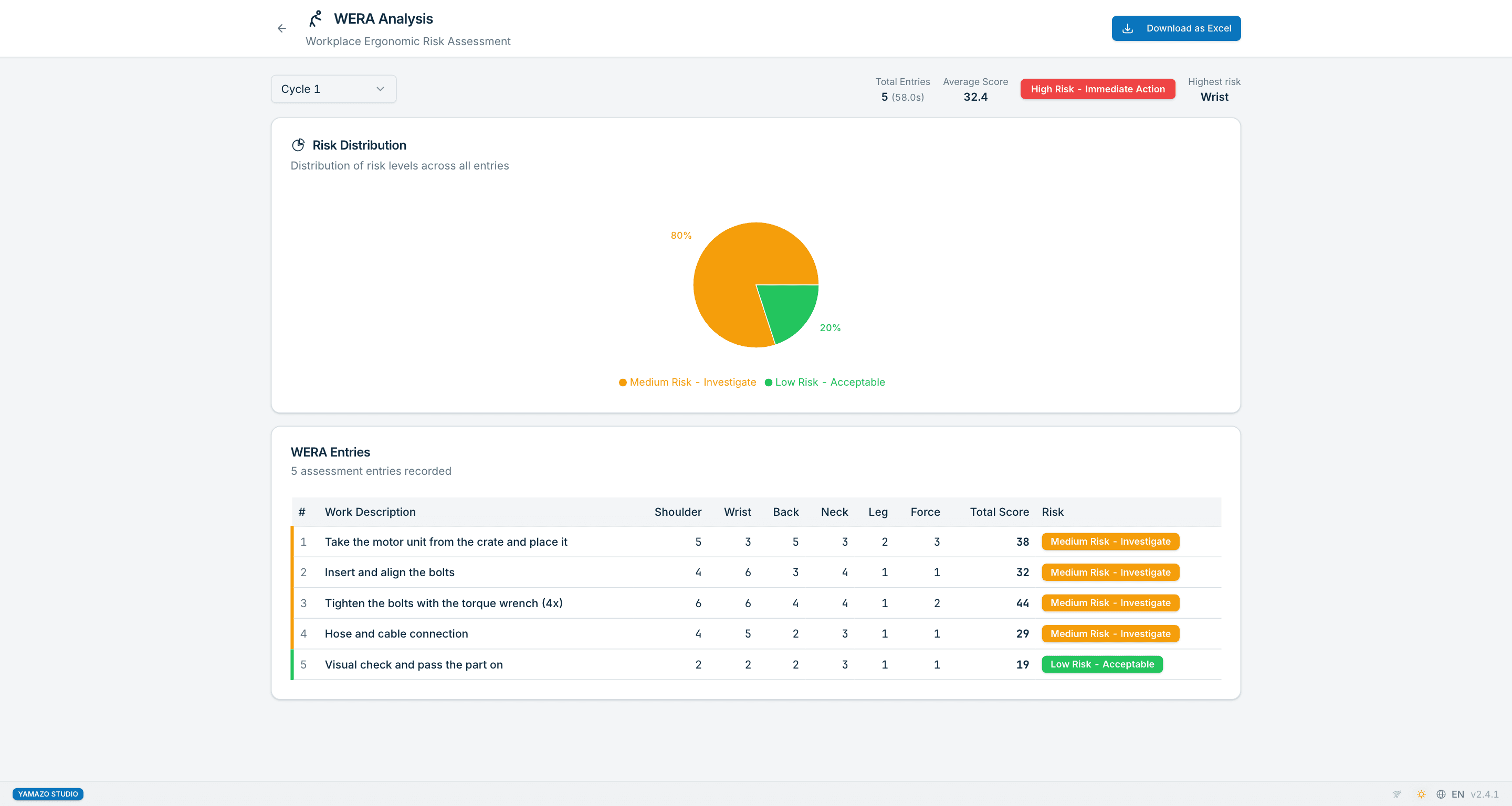
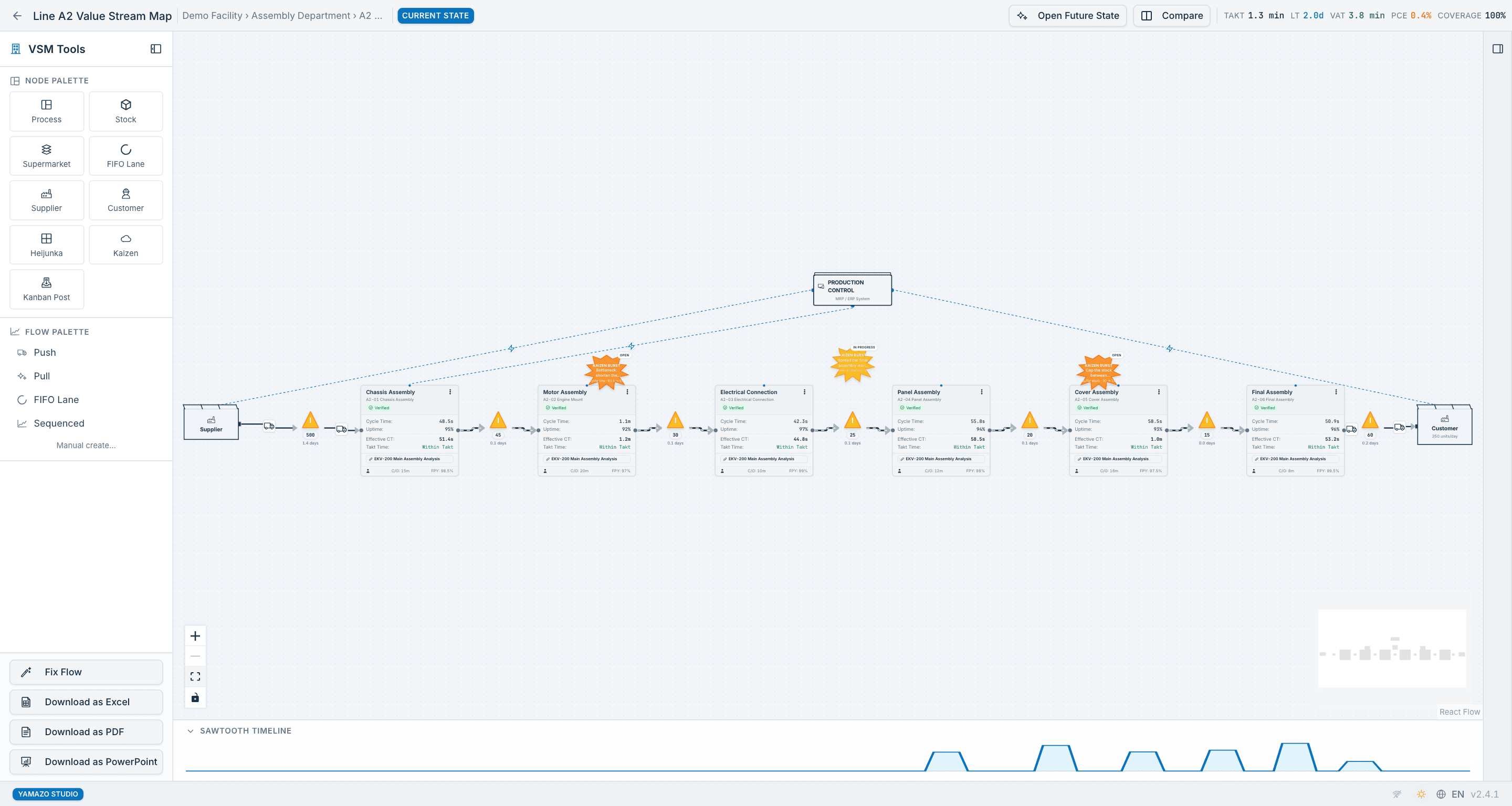
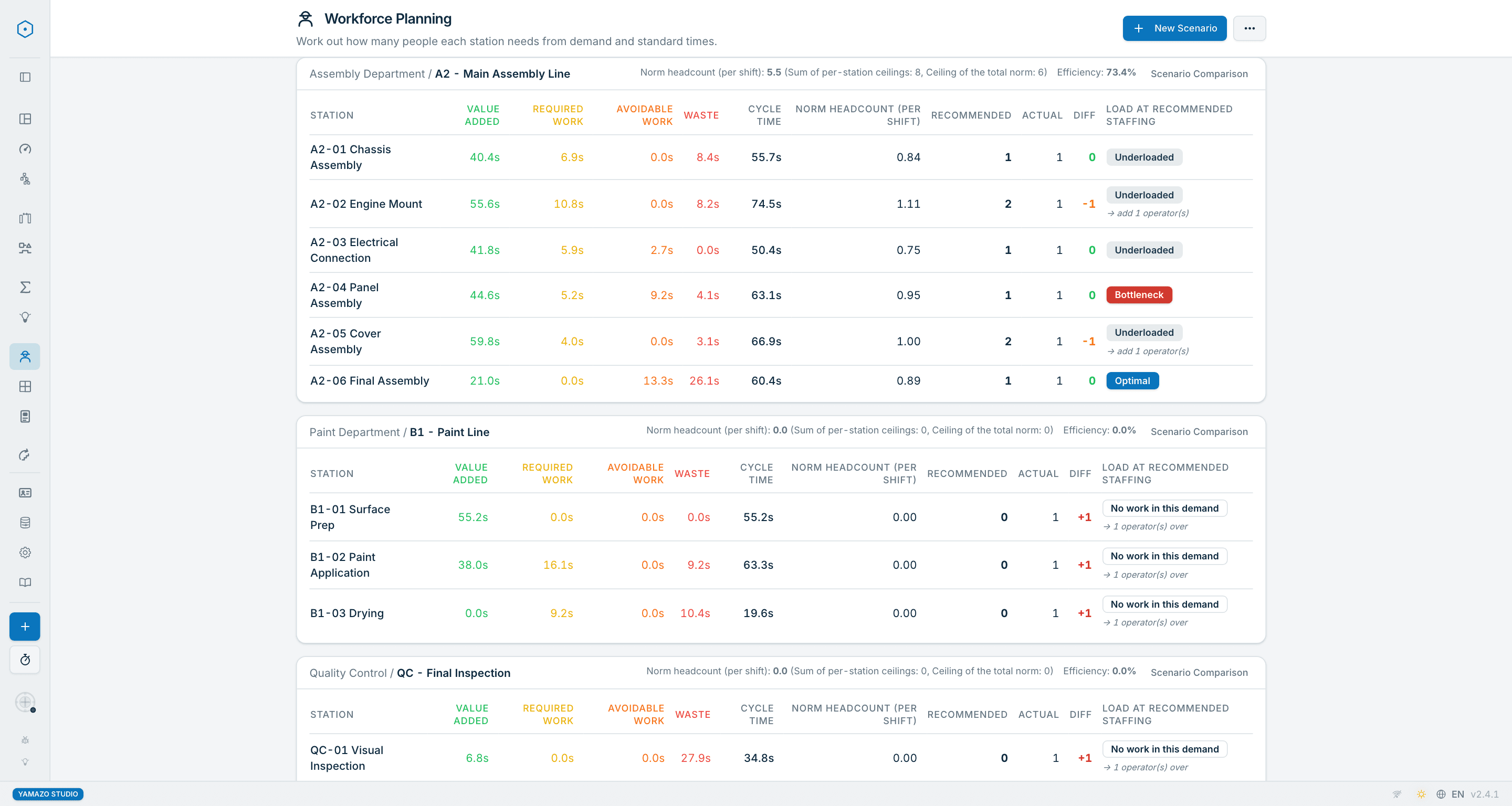
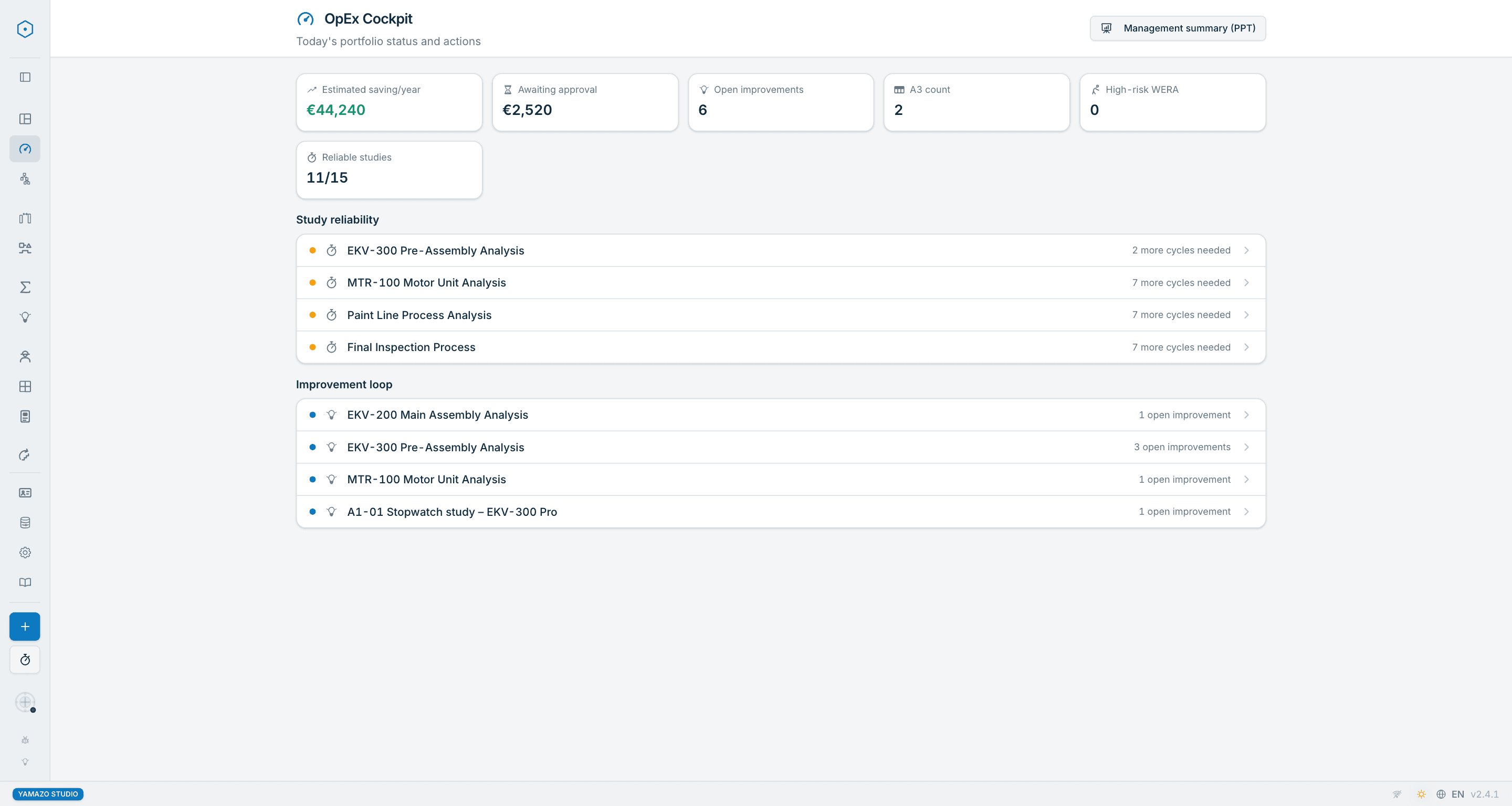
Dashboard
Get a bird's eye view of all your projects. Track progress, see completion rates, and access recent analyses with quick action shortcuts.
Time studies on the shop floor, from your phone
Yamazo Stopwatch measures cycle times in your phone's browser, with or without a network. Yamazo Studio reads the result.
Install the stopwatch on your home screen and time cycles and elements on the shop floor. It works without a network, and your measurements stay on the phone.
In Yamazo Studio press “Give list to phone”, then on the phone choose “Get list from Studio” and point the camera at the QR codes; the list of facilities, departments, lines, stations and products comes to the phone. You can also measure without a list.
When the study is done, the phone shows a QR code. Yamazo Studio reads it and, once you confirm, creates a project with the elements and every cycle.
Share the measurement as an Excel file, send it to yourself, open it in Excel and paste the table into Yamazo Studio. No file is uploaded.
Already have a time table? Copy it in Excel with elements as rows and cycles as columns and paste it into Yamazo Studio. There is no file upload; performance rating and allowances are entered in Studio.
Yamazo Studio has a stopwatch of its own too; a finished cycle lands in the time table as a column.
The import needs Yamazo Studio 2.4 or later.
Simple Deployment, Powerful Analysis
Desktop application for Mac and Windows. Download the demo and try with your own video — runs the analysis entirely on your device. Available as an annual or perpetual license.
Download demo and try with your own video
Receive custom pricing proposal
Purchase license for your operation
Deploy and activate on your systems
Mac (M1+) and Windows 10/11
Runs on standard office computers. See documentation for detailed system requirements.
Transparent Pricing
Annual or perpetual licensing. Plant bundle for multi-seat factories. AI module after a controlled pilot.
Yamazo Studio Annual
Lower upfront cost — annual license, offline operation
After ~3 years, Perpetual has lower TCO — see the calculator below.
Yamazo Studio Perpetual
Long-term ownership — lifetime use of the version purchased
Optional annual maintenance plan: 20% of license price (new releases + priority support, optional from year 2).
Switching from Annual within the first 12 months? 50% of your annual payment is credited toward the perpetual license.
Opsida Flow
Lean shop-floor execution — standalone, or connected to Airlock with Studio.
- Standard-time planning & work orders
- Operator tablet + live Andon display
- Downtime signals & Pareto
- On-prem · your data stays in the plant
Regional pricing applies. v1 in development — pilot engagements open.
Opsida WorkSense AI
Pilot scope and final pricing tailored to your video volume and site count
- AI-driven VA / IWR / MUDA classification, engineer-reviewed
- Pose-based REBA ergonomic screening, deterministic scoring
- Yamazo Studio integration
Pilot required. Prerequisite: at least 1 active Studio license with Airlock. WorkSense does not increase your Companion seat count.
Already running Studio + Airlock? Your existing deployment is pilot-ready — up to 50% of the pilot fee credits toward the first-year site license.
Airlock + Companion included
Shop-floor capture on your local network · With every Studio license
- Opsida Airlock included — secure local data vault (coming soon)
- Yamazo Companion included — 1 seat per active Studio license (coming soon, no extras sold)
- Browser-based shop-floor video capture (via Companion)
- Local-network secure architecture (via Airlock)
60% off in year one for small and mid-sized manufacturers
Annual Studio and Flow licenses, tapering to list price over five years
11+ licenses or custom deployment?
We tailor pricing and deployment plans for large factories, multi-site operations, and enterprise integrations.
Manage multiple customers from one license
For lean / manufacturing consultants and system integrators: isolated tenant management for up to 25 customers — each customer's site, line, and study data kept separate. Scope and term are agreed in conversation.
- Up to 25 customers
- Isolated customer data (tenant)
- Customer switcher
- Annual subscription — custom quote
Prices shown are global list pricing. Regional adjustments apply to Studio licenses and Opsida Flow (emerging markets, academic / non-profit) — contact sales for your country. Opsida WorkSense is a flat global price.
All prices exclusive of VAT, withholding tax, and local taxes. Multi-year terms and regional pricing available via sales. Academic and non-profit discounts require verification.
Annual vs Perpetual: TCO comparison
Compare total cost of ownership across license counts and planning horizons.
Adjusts the estimate using public regional tier multipliers. Sales will confirm your exact quote.
After 5 years, Perpetual is €11,475 cheaper TCO
Break-even: year 4
Discuss this scenario with sales?
Or write us directly for a tailored quote
Figures use public list pricing with the selected region multiplier. Sales will confirm your exact quote (volume tier, partner stacking, multi-year terms, founder approvals). Maintenance plan is optional from year 2 onward.